How to Buy a License
Follow the simple steps below to find an OpenCart extension, choose your license plan, complete your purchase and activate your license.
Available License Options
Free Trial
Try the extension before purchasing. Select the Free Trial option on the product page and activate your trial license.
One-Time Payment
Purchase the extension with a one-time payment. After your order is completed, your license key will be generated and sent to your email address.
How to Purchase a License
Find Your Extension
Visit our website and search for the OpenCart extension you want to use.
Open the Product Page
Click on the extension from the search results to open its product page.
Review the Extension
Review the extension features, compatibility, screenshots, demo and available license options.
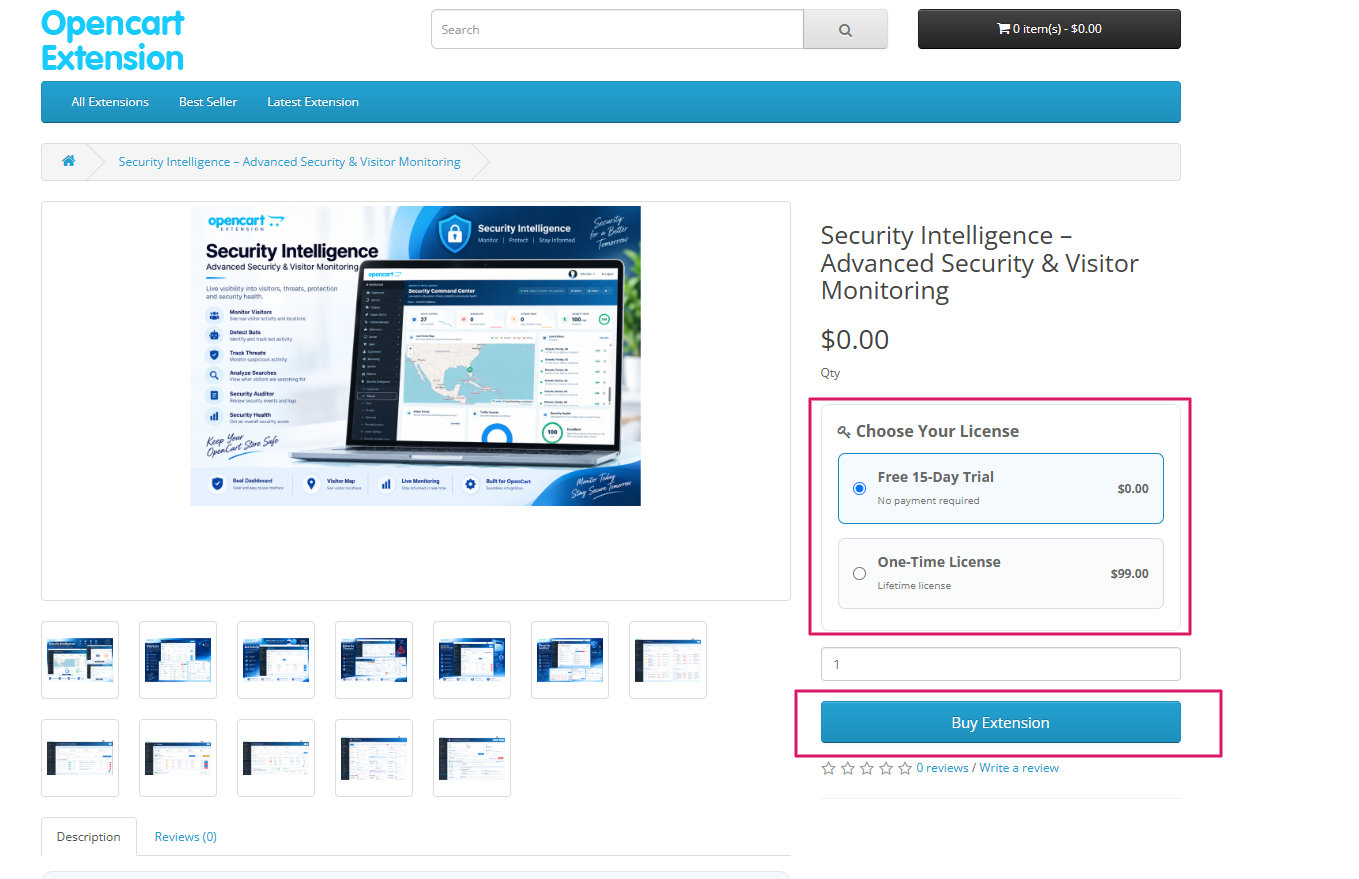
Select Your License
Choose one of the available license options: Free Trial or One-Time Payment.
Click Add to Cart
After selecting your license option, click Add to Cart.
Review Your Cart
Open your shopping cart and check the selected extension and license option before continuing.
Enter Your Details
Enter your account, billing and contact details. Please make sure your email address is correct.
Complete Your Order
Review your order and complete the checkout process using the available payment method.
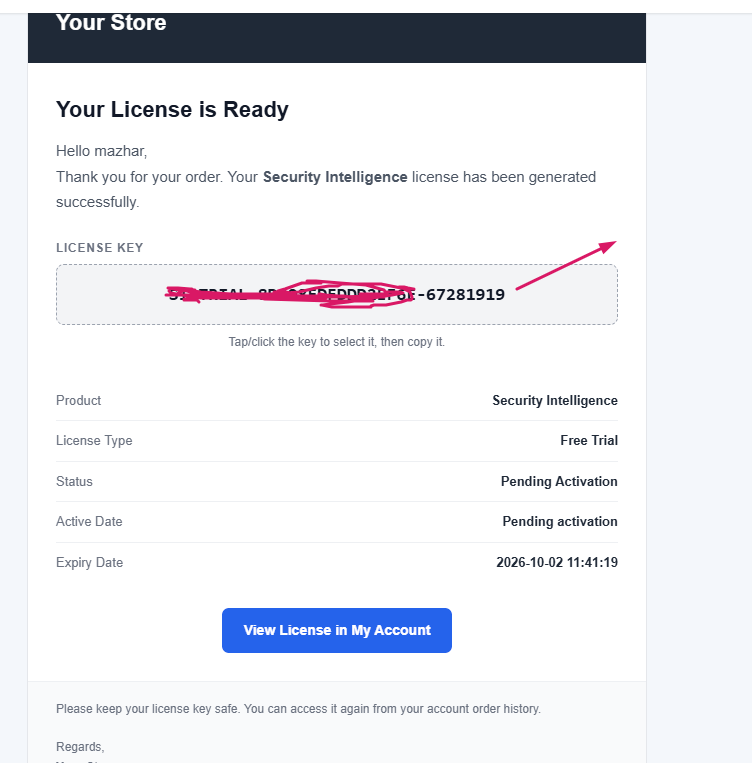
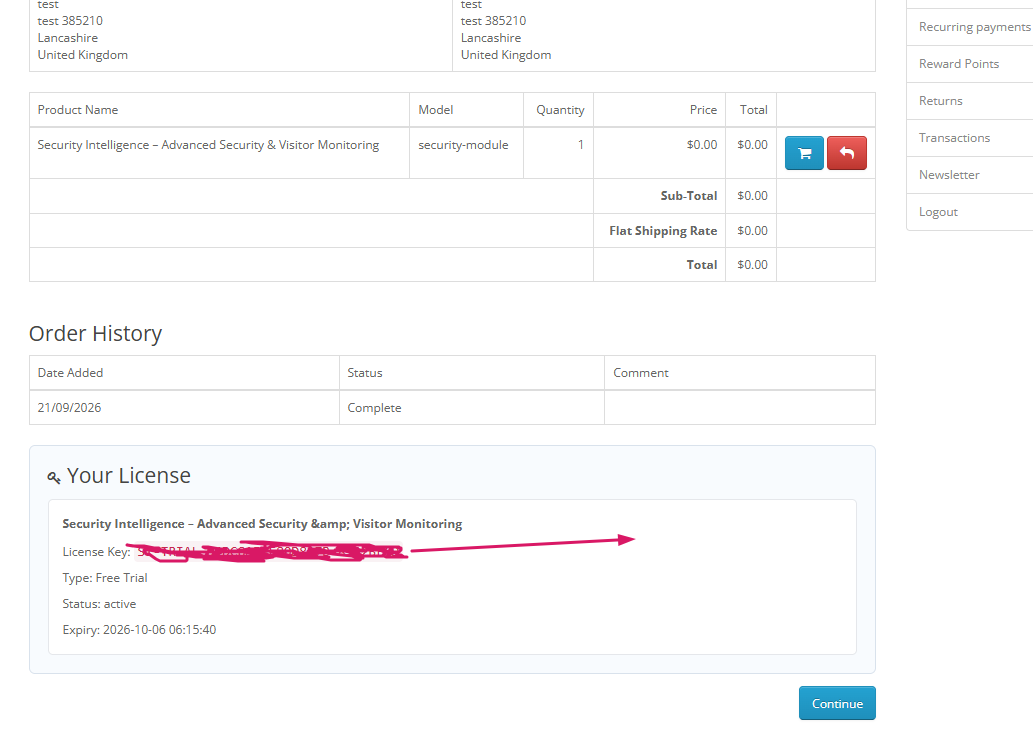
Receive Your License Key
After the order is successfully processed, your license key will be generated and sent to the email address used during checkout.
Install the Extension
Download the extension and install it on your OpenCart store using the OpenCart Extension Installer.
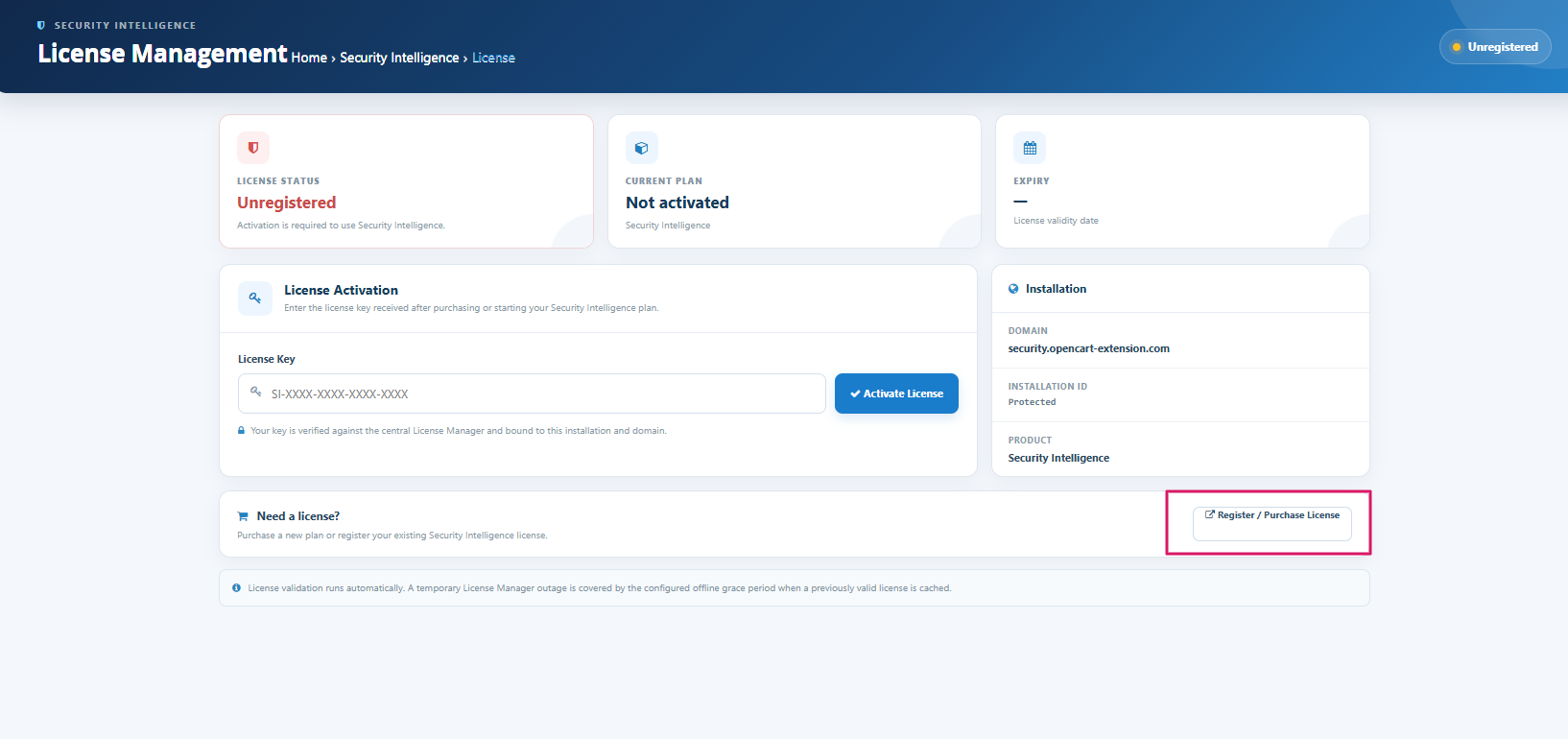
Enter Your License Key
Open the installed extension in your OpenCart administration and enter the license key you received by email.
Activate Your License
Click Activate License. The license system will verify your license and activate the extension.
How the Free Trial Works
If a Free Trial is available for the selected extension, simply select Free Trial on the product page and continue with the checkout process.
After the trial order is completed, your trial license will be generated and you will receive the license key by email.
Enter the license key inside the extension to activate your trial.
How One-Time Payment Works
Select One-Time Payment on the product page and complete your purchase.
After successful payment, your license will be generated according to the selected product's license terms.
Your license key will be sent to your registered email address.
Important
- Please enter a valid email address during checkout.
- Your license key will be sent to your registered email address.
- Keep your license key safe after receiving it.
- A license may be associated with your domain or installation according to the product's license terms.
- If you move your website to another domain or server, contact support for assistance before repeatedly activating the same license.
Need Help?
If you have any questions about purchasing, activating or transferring a license, our support team can help you.
Contact Support